Made for memorial makers

Every detail.
One thoughtful workspace.

Bring shape, material, lettering, and artwork together. Design in real dimensions and review the whole memorial in context.

Everything in one studio

From the first sketch
to the next conversation

01 · Design

A real canvas, not a form to fill in

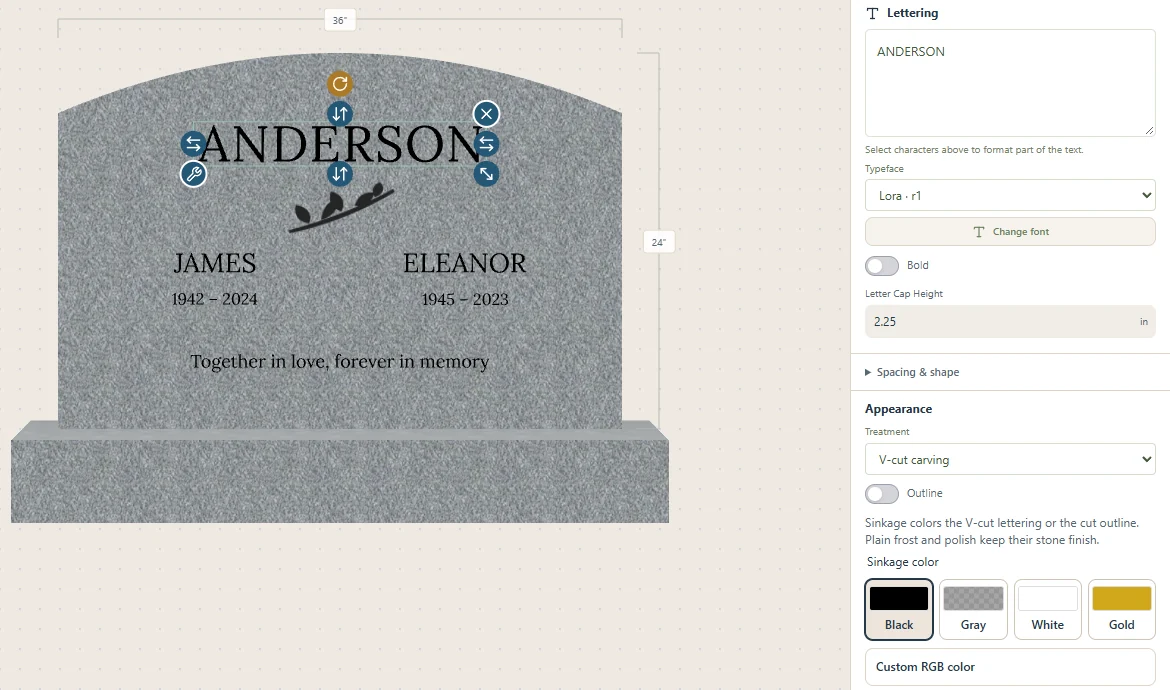
Arrange lettering and artwork right on the stone. Work with exact sizes, alignment, and independent layers, with room for every detail.

  • Layers for lettering and artwork
  • Inch and millimeter inputs
  • Precise placement on each face
The real design canvas with ANDERSON lettering selected, dimension guides, and controls for typeface, cap height, and carving.
Lettering, placement, and real dimensions in the editor

02 · Visualize

Show families the whole design

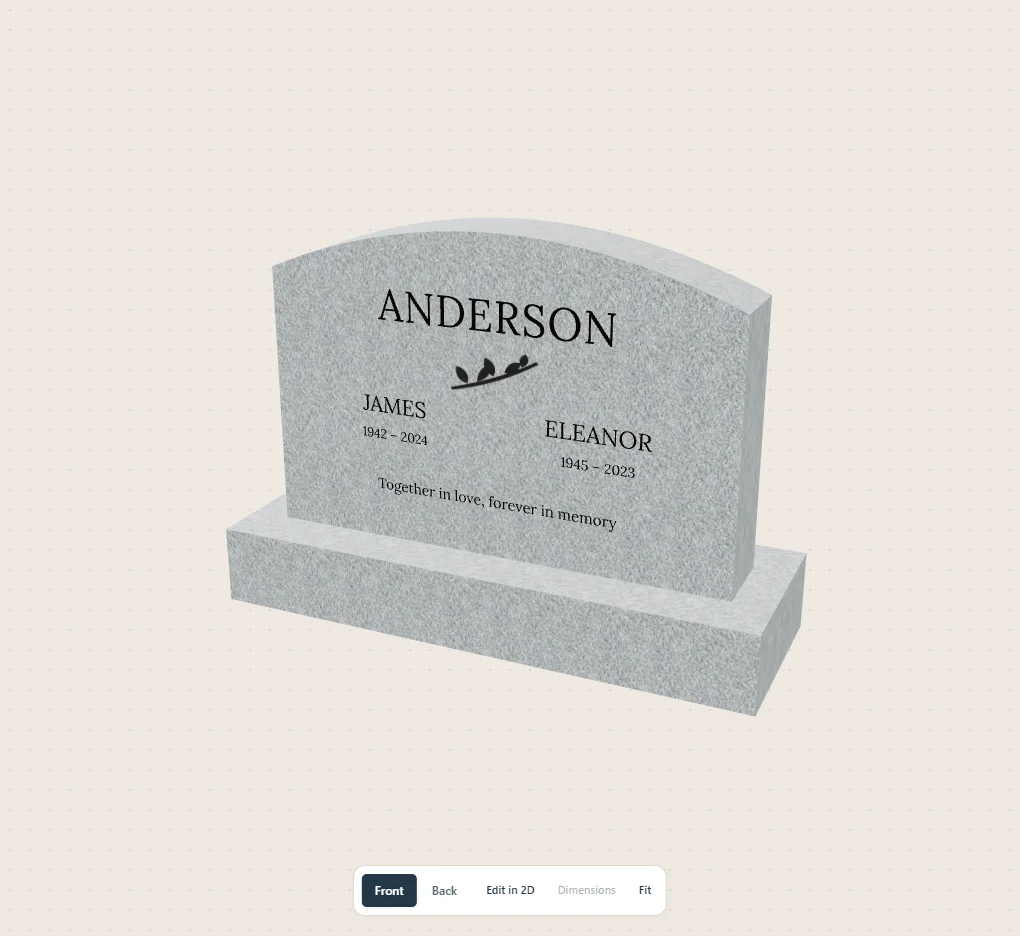
Move between precise 2D editing and a 3D view of the memorial. See the shape, material, and lettering together before the next conversation.

The Anderson sample memorial rendered in MonumentKit’s 3D view, showing its arched tablet, engraved layout, and stone base.
The same sample memorial in the 3D viewport

03 · Catalog

Your stones, shapes, and fonts, ready to go

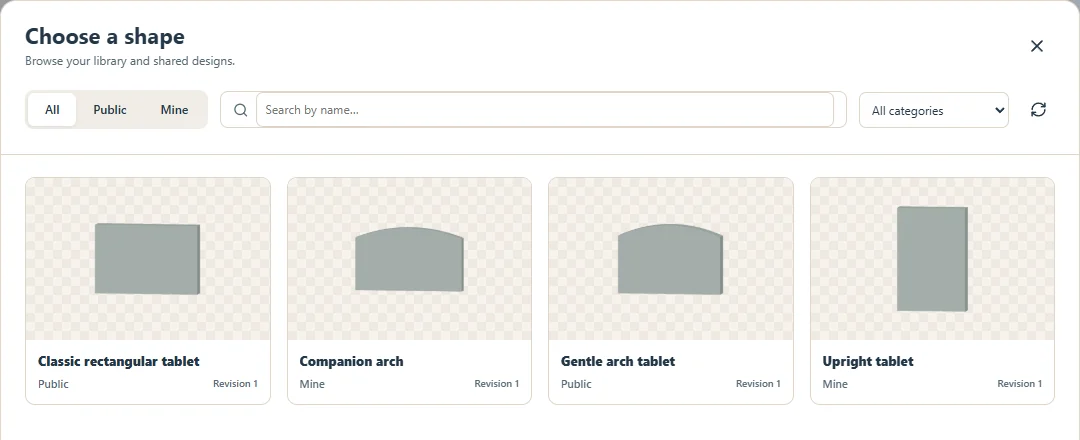
Keep the materials, shapes, lettering styles, and artwork you use in one place. Add your own resources or start with the managed public library.

The shape catalog with public and private rectangular, arched, companion, and upright tablets.
Browse public and private shapes in one catalog

04 · Review

Clear proofs. One shared understanding.

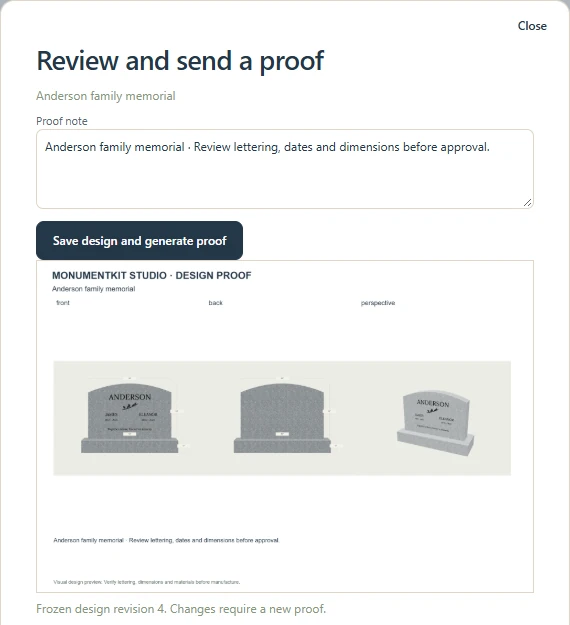
Prepare a frozen visual proof and send it for review. Keep the saved design and its delivery history together as the work moves forward.

The proof review dialog showing an actual generated sheet with front, back, and perspective views, a review note, and its frozen design revision.
A generated proof tied to a saved design revision

Visual previews communicate design intent. They are not machining instructions or structural specifications.

Your next memorial,
designed in minutes.

Bring your ideas. Make the workspace your own.